
How to Download and Use Jacaranda App Fast in Nigeria
📱 Learn how to download and set up the Jacaranda app fast in Nigeria. Get tips on boosting speed, securing your data, and fixing common issues with ease.
Edited By
Dominic Stewart
Downloading and using the Jacaranda app on iOS devices like iPhones and iPads is straightforward, but there are a few key points to consider to ensure a smooth experience. Jacaranda offers sports betting and other gaming options popular among Nigerians, so having the app work well with your device and local internet conditions is essential.
First, make sure your iOS device runs on iOS 12.0 or later. Jacaranda regularly updates its app, and older iPhones or iPads might not support the latest versions. Devices like the iPhone 6S and newer generally meet this requirement, but you can confirm the exact iOS version in your settings under "General" > "About".

To get the app, open the Apple App Store and enter "Jacaranda" in the search bar. Look for the verified app published by Jacaranda Gaming and tap "Get" or the download icon. If you face issues downloading, check your internet connection—Nigerian networks can be unstable, especially during peak hours. Connecting to a reliable Wi-Fi source or using mobile data with a good signal improves download speed and avoids interruptions.
Tip: If the Jacaranda app isn’t showing up, it might be restricted by regional settings. Change your App Store region to Nigeria or where Jacaranda is officially available. Remember, switching regions requires a valid payment method for that country.
After installation, open the app and create your account using a valid email and phone number. Nigerian users should take advantage of payment options tailored for local transactions, such as bank transfers through GTBank or mobile payments via OPay and PalmPay.
Navigating the Jacaranda app is user-friendly. The home screen shows ongoing sports events and betting markets, clearly organised for easy access. If you plan to bet, ensure your profile is fully set up, including bank details, and that you understand local betting laws to avoid any issues.
In summary, to download and use Jacaranda on iOS devices successfully:
Confirm your iOS version is compatible
Use the Nigerian App Store or relevant regional settings
Download via Apple App Store with a stable internet connection
Register with local payment methods for smooth transactions
Explore the app’s interface carefully before placing bets
By following these steps, you'll enjoy Jacaranda’s features fully without hiccups often caused by technical or connectivity challenges common in Nigeria.
Starting properly with the Jacaranda app on your iPhone or iPad makes all the difference in how smoothly you navigate Nigerian sports betting or casual gaming. This section lays out the basics, so you know exactly what the app does, which devices it works with, and how to set up your Apple ID to download it safely. These steps might seem small, but they save you plenty of headaches later on.
The Jacaranda app is designed to bring fast, convenient access to sports betting and other gaming activities straight to your iOS device. For sports bettors in Nigeria, it offers live score updates, betting tips, and a secure platform to place bets with ease. Beyond betting, the app also provides useful news and statistics that help users make informed predictions. Think of it as a one-stop mobile hub that makes following your favourite sports leagues and winning bets a reality, all from your phone or tablet.
Before you rush to download Jacaranda, ensure your device supports it. The app runs smoothly on iPhones and iPads with iOS 13.0 and above. Older devices like iPhone 6 or iPad Air with out-of-date operating systems might struggle or not be compatible at all. Also, check you have at least 150 MB of free storage, enough to install the app and handle its updates. If you're using an older iPhone in Abuja or Lagos, upgrading to a more recent model or updating your iOS through settings will give a much better experience.
Your Apple ID is essential to download and update apps from the App Store. If you don't have one, setting it up is straightforward and free. Simply go to Settings, tap "Sign in to your iPhone", then select "Don't have an Apple ID?" Follow the prompts to create your account with an email and secure password. For Nigerian users, linking your payment info is optional if you’re downloading free apps like Jacaranda, but it’s necessary for in-app purchases. Make sure your Apple ID region is set to Nigeria to access the right version of the app and relevant local features.
Taking the time to verify device compatibility and correctly set up your Apple ID guarantees a hassle-free download process, letting you enjoy Jacaranda’s full range of betting features without interruptions.
Getting started might look like a chore, but it builds the foundation for a smooth, reliable experience with the Jacaranda app on iOS. Ensuring you meet these initial requirements saves you from problems down the line, especially with Nigeria’s often spotty internet and limited data plans. Once these are in place, you’re ready to move on confidently to downloading and using the app for your sports betting needs.
Downloading the Jacaranda app on your iOS device is the essential first step to access its features. This guide simplifies the process, ensuring you get the app safely and without hitches. Whether you are a sports bettor wanting quick access to updates, a student tracking scores, or a tech enthusiast seeking new apps, a clear path to installation saves you time and frustration.
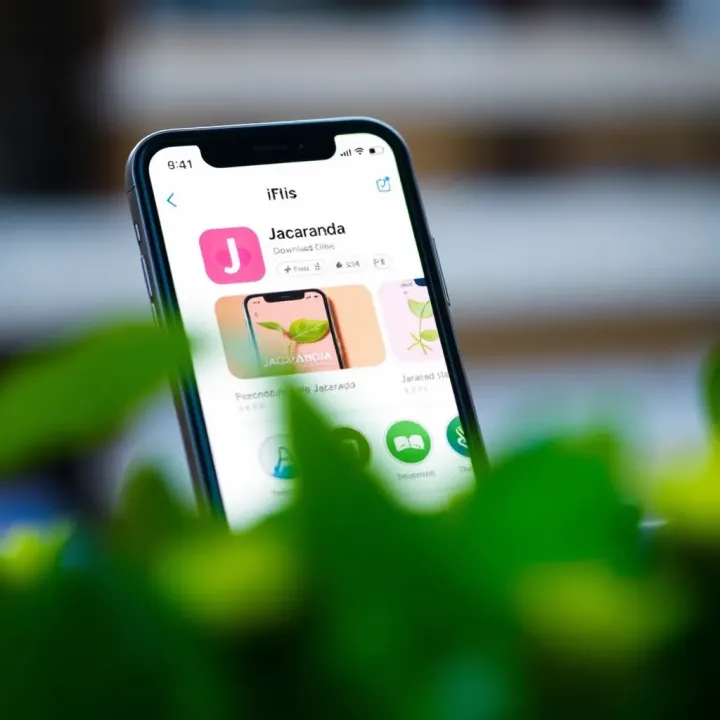
Finding the Jacaranda app starts with a straightforward search in the Apple App Store. Open the App Store on your iPhone or iPad and use the search tab at the bottom. Type "Jacaranda" carefully—spelling matters to avoid downloading a different or fake app. Look out for the official app developer name and the distinctive logo. These details reduce the risk of installing counterfeit apps. Also, check the app ratings and number of downloads to confirm it’s the genuine article. For example, a legitimate app often has thousands of downloads and user reviews that verify its credibility.
Once you locate the app, press the download button, usually marked as “Get” or a cloud icon with an arrow. iOS may ask for your Apple ID password or Face ID verification before starting the download. Confirm your details carefully to avoid interruptions. It’s important to be on a stable Wi-Fi network during the download, especially in Nigeria where mobile data can be expensive or network strength fluctuates. A weak connection may cause the download to pause or fail.
Downloading apps from outside the Apple App Store can put your device at risk; so always stick to official sources. The Jacaranda app is only available on the Apple App Store for iOS devices, ensuring Apple’s security measures protect your data.
After installation, the Jacaranda app icon will appear on your home screen. Before launching, check the app's permissions—such as access to notifications or location—through Settings. Grant only what’s necessary to balance privacy and usability. Launch the app to ensure it opens without immediate crashes. If it requires an update soon after installation, go back to the App Store to keep it current, which helps in avoiding bugs or security issues.
Remember, a smooth installation paves the way for a better app experience. Always take a moment to confirm the app details and permissions before fully diving in.
Taking time with these steps helps you quickly enjoy everything Jacaranda offers, whether it’s keeping up with the latest sports odds, betting tips, or event updates tailored for Nigerian users. This smart preparation reduces frustration caused by errors or fake apps — common pitfalls for many users.
The Jacaranda app brings a blend of practical functions and tailored benefits for iOS users, especially Nigerians, that make it stand out among other utilities. Understanding these features is key for anyone wanting a smooth experience, whether you're a busy professional, a casual bettor, or a tech enthusiast. Let's explore what makes the app tick and why it is worth having on your iPhone or iPad.
At its heart, Jacaranda offers seamless access to live sports updates, betting odds, and real-time analytics. For instance, the app’s live score tracking covers football matches from the Nigerian Professional Football League (NPFL) to major international leagues. This means you don't have to switch between multiple platforms to get your game insights. It includes push notifications for scores, so you never miss a crucial goal or a change in the odds.
Another important function is the intuitive bet slip feature allowing users to place bets directly from their device without unnecessary steps. Authentication is secured through Apple’s Face ID or Touch ID, making access easy but safe. Besides betting, the app has a section for game stats and player performance trends which help users make more informed decisions.
Jacaranda has been developed with local conditions in mind. For example, it works efficiently over Nigeria’s often unstable internet connections by compressing data and reducing lag times during live updates. It also supports payments in Nigerian Naira (₦), integrating popular local payment options like Paystack and Flutterwave to make transactions quick and reliable.
Moreover, the app includes information on local sports events and leagues beyond the popular football scene, such as Lagos-based basketball tournaments and grassroots athletics. This appeals to users craving more than just mainstream sports content. Notifications also accommodate Nigerian time zone (WAT) ensuring alerts come timely, which can be a real deal for users in different states across the country.
Using Jacaranda goes beyond just tracking sports or betting; it adds convenience to your daily routine. Its user-friendly interface means you can quickly navigate between sections even during short breaks or while commuting in Lagos’s heavy traffic. The app also allows quick access to live radio broadcasts of games, so you can follow matches even when you can't watch.
The personalised dashboard lets you save favourite teams and preferred leagues, saving you from repetitive searches. Plus, real-time updates mean your decisions and interest stay updated without endlessly refreshing or switching apps.
For Nigerian users, Jacaranda helps you enjoy sports, place bets, and stay informed without the fuss, all from your iOS device – an essential companion for sports lovers on the go.
By combining robust functionalities with smart local adaptations, Jacaranda is an app that fits well into the hectic and dynamic lifestyle many Nigerians lead today. It’s not just about sports; it’s about making your iPhone or iPad a smarter tool for everyday convenience.
Downloading apps on any device takes some patience, but when the Jacaranda app download hits a snag, knowing how to fix common problems saves a lot of frustration. For users in Nigeria, where internet speed and device storage issues often affect app installations, troubleshooting this phase is especially vital to get Jacaranda working smoothly.
The Jacaranda app is around a few hundred megabytes, so a stable internet connection is necessary. If your download stalls or stops repeatedly, it often points to an unstable data network. Many Nigerian users depend on mobile data from providers like MTN or Airtel, which might fluctuate throughout the day, especially in rural or crowded urban areas.
Try these steps:
Switch between Wi-Fi and mobile data to find a steadier connection.
If on Wi-Fi, check you aren’t near the edge of the signal range or using a heavily congested network, like a busy cybercafé.
Pause other apps or downloads using the internet, so Jacaranda gets bandwidth priority.
Consider downloading overnight or early morning when networks tend to be less crowded.
Strong and steady internet is key: even with a good device, poor or interrupted connections frequently cause app download failures.
Running out of storage is a common issue on many Nigerian iPhones or iPads, especially older models with limited capacity. If you see errors about insufficient space, check your device storage under Settings > General > iPhone Storage.
Clear up space by deleting unused apps, old photos, or clearing app caches. Also, check the "Recently Deleted" album in the Photos app to permanently remove deleted files and free space.
If installation fails after download, try restarting your device to refresh system processes before attempting reinstallation.
Sometimes installation completes, but Jacaranda refuses to open or crashes repeatedly. Causes can vary from corrupted app data to compatibility issues after iOS updates.
To fix this:
Force close the app by swiping it away in the app switcher, then reopen.
Restart your iPhone or iPad.
If problems persist, uninstall Jacaranda by pressing the app icon until it wiggles, then tap the "x". Re-download the app from the App Store.
Check that your iOS version meets Jacaranda’s requirements; an outdated iOS can cause crashes.
Should all else fail, contacting Jacaranda’s support or consulting Apple’s support resources can identify device-specific faults.
Troubleshooting these specific issues helps Nigerians enjoy Jacaranda without interruption despite local challenges like fluctuating data networks or limited device storage.
Getting the Jacaranda app is just the beginning. To enjoy the full benefits, you need to optimise how you use it on your iPhone or iPad. These tips help you maintain smooth performance, protect your privacy, and keep your device running efficiently—especially during heavy usage periods common in Nigeria’s ember months.
Updating the Jacaranda app regularly is essential. Developers release updates to fix bugs, add features, or improve security. For instance, if you experience slow loading or crashes during big sports events, it could be that you’re running an outdated version. To update, open the App Store, tap your profile icon, then scroll to find Jacaranda and hit "Update". Turning on automatic updates in Settings ensures you get the latest version without lifting a finger. This way, you don't miss improvements crucial for Nigerian internet conditions, where unstable connections require optimised apps.
Control what Jacaranda can access on your device to increase security and reduce distractions. The app may ask to access your location, notifications, or even contacts. For example, it might need location to provide targeted betting options or relevant news. Go to Settings > Jacaranda to toggle permissions. Disable any that feel intrusive or unnecessary. Also, fine-tune notifications so you only receive crucial alerts like match results or bet updates, rather than every promotional message. This saves you from notification fatigue and helps focus on what matters.
Mobile data can be pricey, and battery life often drains fast while using apps with live updates. Jacaranda users can save data by limiting background app refresh: go to Settings > General > Background App Refresh and disable it for Jacaranda. Also, use the app on Wi-Fi whenever possible to avoid excessive mobile data charges. To save battery, lower screen brightness or enable Low Power Mode during long betting sessions. Closing other apps running in the background cuts down resource hogging too. These small adjustments extend your device’s uptime without compromising your Jacaranda experience.
Remember, keeping your Jacaranda app fresh, secure, and efficient means fewer frustrations and uninterrupted access to the latest sports updates and betting options. Make these optimisation steps part of your routine to get the best out of the app on your iPhone or iPad.
These practical tips ensure seamless use, tailored to the Nigerian context where internet stability, data cost, and device performance matter a lot. Follow them to enjoy Jacaranda without hiccups, stay informed, and place bets confidently on iOS devices.
📱 Learn how to download and set up the Jacaranda app fast in Nigeria. Get tips on boosting speed, securing your data, and fixing common issues with ease.

Learn how to run Jacaranda app on your PC smoothly 🇳🇬. Get tips on installation, optimising for Nigerian internet, and fixing common glitches easily 💻📱.
Download the Jacaranda Kenya APK safely 📲. Learn where to find trusted sources, install correctly, troubleshoot common issues, and explore secure alternatives for Kenya content. Perfect for Nigerian users wanting straightforward access to Kenya-focused services 🇰🇪.
Learn how to easily withdraw your cash from Jacaranda app in Nigeria 🇳🇬. Follow simple steps, link your bank, avoid common hiccups, and get your ₦ fast!
Based on 6 reviews