
How to Withdraw Money from Jacaranda App
Edited By
Sophie Richards
Beginning
Withdrawing money from the Jacaranda app is a straightforward process, but many Nigerian users still face occasional challenges during transactions. Whether you are a sports bettor eager to access your earnings, a student managing finances from app rewards, or a working professional juggling multiple income sources, this guide will help you move cash from the app to your bank account smoothly.
The first key step is ensuring your Jacaranda account is fully set up with proper verification and linked to a valid Nigerian bank account. Most often, failed withdrawals result from incomplete bank details or mismatched account information. For instance, if your BVN (Bank Verification Number) linked is different from the one registered on Jacaranda, the app will reject the withdrawal to protect your funds.
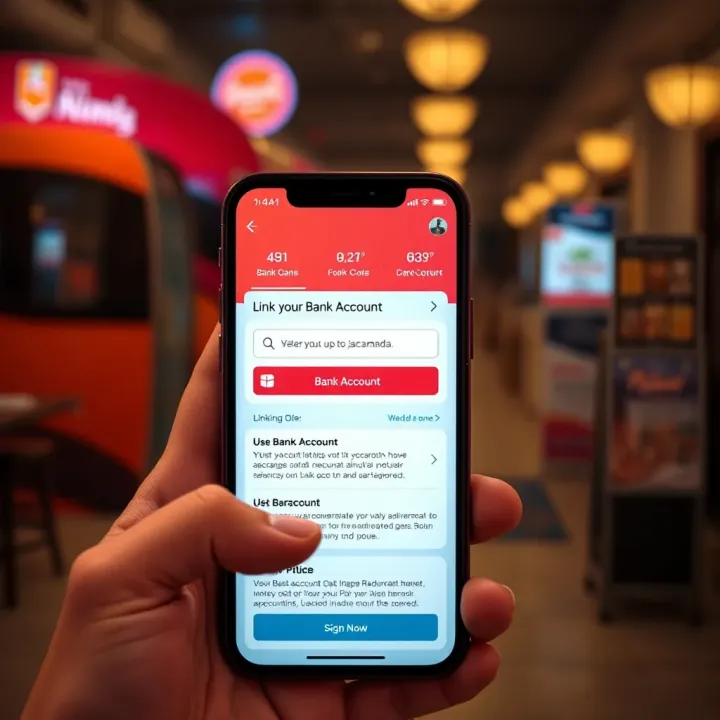
Before initiating withdrawal, check that your bank account supports instant transfer from mobile platforms and that your internet connection is stable. Apps like GTBank, Zenith Bank, and Access Bank have robust systems generally compatible with Jacaranda, while smaller banks sometimes experience lag or delays.
Always double-check your bank details inside the Jacaranda app settings to avoid unnecessary transaction failures.
Jacaranda users typically find these steps helpful for withdrawal:
Confirm you’ve linked your bank account correctly in the app’s profile section.
Verify available balance meets minimum withdrawal limit, usually ₦1,000 or higher depending on Jacaranda’s updated terms.
Initiate withdrawal by entering the amount and confirming via OTP or app PIN.
Monitor your bank’s account for credited funds, which can take from a few minutes to a couple of hours.
If the withdrawal doesn't arrive within the expected time, contact Jacaranda’s support immediately with your transaction ID. Sometimes, delays stem from network issues or maintenance on the app’s payment gateways.
Understanding these practical elements will save you from common snags and ensure your app withdrawals are swift and hassle-free. The following sections will take you step-by-step through the entire withdrawal process, including tips tailored for Nigerian users navigating fintech applications daily.
Getting Started with Your Jacaranda Account
Before you can withdraw money from Jacaranda, setting up your account correctly is the first step. This foundation ensures smooth access to your funds and seamless transactions. Getting started covers downloading the app, installing it properly, and completing the essential identity verification.
Downloading and Installing the App
Finding the Jacaranda app is quite straightforward. It’s officially available on the Google Play Store for Android users and the Apple App Store for iOS devices. Downloading from these trusted sources secures you the genuine app free from malware or fake versions. If you try to get the app elsewhere, especially from unofficial sites or third-party app markets, you risk compromising your device’s security.
Once you locate the Jacaranda app, installation usually takes just a few minutes depending on your internet speed. The steps are simple: tap ‘Download’, allow the installation permissions if prompted, and the app installs automatically. Remember, before installation, ensure your phone has enough storage and that you are connected to a stable Wi-Fi or mobile data network to avoid interruptions.
Initial setup requires a bit more attention. After opening the app, you must create your Jacaranda account by providing details like your phone number and creating a strong password. You will also be asked to set up security features such as PIN codes or biometric verification if your device supports it. This step safeguards your wallet from unauthorised access, which is crucial given you will be handling money.
Verifying Your Identity
The process known as KYC (Know Your Customer) is mandatory for Jacaranda users. This is how the platform ensures compliance with Nigerian financial regulations and prevents fraud. Without completing KYC, you may find your account restricted, unable to perform withdrawals or other financial transactions.
Submitting your National Identification Number (NIN) alongside other identification documents like your voter’s card or driver’s licence is part of this process. The app guides you through uploading clear photos or scans of these documents. For example, if your NIN slip is damaged, it’s better to apply for a fresh one at the National Identity Management Commission (NIMC) office beforehand, as incomplete or illegible information delays verification.
Your withdrawal experience directly depends on how smoothly verification goes. Fully verified accounts enjoy higher withdrawal limits and quicker processing times. Conversely, an unverified or partially verified identity may face daily caps or failed withdrawal attempts. For instance, if your details do not match official databases, your withdrawal might be flagged for review, causing delays.
Completing your Jacaranda account setup and verification is not just a formality—it’s the gateway to accessing your funds easily and securely, especially in Nigeria's fast-paced mobile money environment.
In summary, taking the time to download the authentic app, complete installation, and provide accurate KYC details will save you the stress of payment issues later. This foundation allows you to enjoy Jacaranda’s features with confidence, especially when withdrawing your hard-earned cash.
Linking Your Bank Account to Jacaranda
Linking your bank account to the Jacaranda app is a key step before you can smoothly withdraw your funds. Without this connection, the app cannot transfer money directly to your account, which is the main way to access your winnings or funds on the platform. Setting up a proper link ensures your transactions go through without delays or errors, giving you peace of mind while handling your finances.
Supported Banks and Payment Channels
Jacaranda supports a wide range of Nigerian banks to facilitate withdrawals and deposits. This includes major banks like GTBank, Access Bank, Zenith Bank, First Bank, UBA, and others. The practical effect is that most users can link their existing bank accounts without needing a new one, saving time and effort.
Besides the traditional banks, Jacaranda also works with payment channels that leverage USSD and card payments. USSD code options allow users without smartphones or internet access to interact with their Jacaranda funds using simple phone codes—the same way many Nigerians have sent money through their banks’ USSD services. Card options like debit or prepaid cards add another layer of convenience by letting users directly link their bank cards to the app for swift withdrawals.
Apart from banks and USSD, Jacaranda includes alternative payment methods inside the app. These might cover wallets linked to popular fintech platforms like OPay or PalmPay, allowing users to move money between these wallets and their Jacaranda balance. Such flexibility helps especially if you prefer digital wallets or do not want to link a traditional bank.
How to Connect Your Bank Account
Linking your bank account involves a straightforward process inside the Jacaranda app. You start by navigating to the account settings or payment section, then select "Add Bank Account." You'll be prompted to fill in details like your bank name, account number, and account name exactly as it appears in your bank records. After submitting, the app usually performs quick verification to ensure your details are correct and belong to you.
Security comes first when entering sensitive information. It’s best to update your app regularly to benefit from the latest security patches. Use a stable and private internet connection—not public Wi-Fi—to avoid potential interception. Never share your OTPs, PINs, or passwords during linking. Jacaranda’s system encrypts your bank details to prevent unauthorised access, but your caution plays a big role too.
Sometimes, linking may fail due to network issues, incorrect information, or temporary glitches in the app or bank servers. If this happens, verify your entered details carefully, especially the account number. Try re-adding after some minutes. If problems persist, contact Jacaranda’s customer support right away. They can check backend logs, assist with manual verification, or guide you on alternative withdrawal methods.
Remember, a secure and accurate bank account linking not only speeds up your cashouts but also protects your hard-earned money from fraud.
With the bank account fully linked and verified, you are set to make withdrawals from Jacaranda comfortably and securely. This process works best when handled carefully and with attention to detail, so your gaming winnings or funds move to your wallet without hassle.
Withdrawing Funds from Jacaranda
Withdrawing funds from your Jacaranda app is the ultimate goal after completing your transactions or winnings. This step is key because it turns your digital balance into actual cash in your bank account. Whether you’re a sports bettor able to access your winnings quickly, a student managing allowances, or a working professional cashing out earnings, knowing how to withdraw properly saves you time and reduces hassle.
Understanding limits and charges is central to avoiding surprises when you hit that withdraw button. For instance, you might want to withdraw ₦5,000 for groceries, but if the minimum withdrawal is ₦10,000, your request could be denied. Likewise, fees can erode your amounts if you’re not careful, particularly for frequent small withdrawals. Getting these details right means you keep more naira and enjoy smooth transactions.
Understanding Withdrawal Limits and Charges
Minimum and maximum withdrawal amounts
Jacaranda sets a minimum withdrawal amount, commonly around ₦1,000 or ₦5,000, depending on your account type or promotions. This ensures small, uneconomical withdrawals do not clog the system, which pays off especially during busy ember months when many Nigerians prefer quick, affordable transactions. The maximum limit might range from ₦100,000 to ₦1,000,000 per day, tailored to secure your funds and prevent abuse.
For example, if you have ₦50,000 in your Jacaranda wallet but the minimum withdrawal is ₦10,000, you need to request at least that amount; otherwise, the app will reject the withdrawal. Likewise, daily limits means you can’t quickly drain a very large balance in a single request but must spread withdrawals across days.
Fees applicable for withdrawal
Withdrawal fees vary, often between ₦100 and ₦500 per transaction, depending on the amount and your linked bank. These charges cover network costs and payment gateway fees. For small withdrawals, a fixed fee can take a chunk of your money, so it’s smarter to withdraw higher amounts less frequently.
For instance, withdrawing ₦2,000 with a ₦300 fee means you lose 15% to charges, which is quite costly. But withdrawing ₦20,000 with the same fee only costs 1.5%, clearly more cost-effective. Knowing this helps you plan withdrawals and avoid unnecessary loss.
Impact of transaction timing on charges
Timing can affect withdrawal fees and speed. Offline bank hours or network congestion during peak times (like evenings or ember months) may delay your transfer or increase charges slightly. Jacaranda users often notice faster withdrawals in the mornings and weekdays when networks are stable.
Therefore, if you have flexibility, choosing off-peak times to withdraw funds helps minimise potential delays and extra costs. For instance, withdrawing just before a weekend might delay crediting until Monday, but doing so Monday morning ensures quicker processing.
Step-by-Step Withdrawal Process
Opening the withdrawal section
After logging into your Jacaranda app, locate the withdrawal menu clearly marked in the dashboard or wallet section. This area is designed for intuitive navigation, helping you start the withdrawal effortlessly. Opening this section is the first crucial step to convert your balance to cash.
Getting familiar with the interface here saves time and reduces errors. Rather than fumbling through unrelated menus, you tap directly to start your withdrawal.
Entering withdrawal amount
Next, key in the amount you wish to withdraw. Always ensure this value respects the minimum and maximum limits explained earlier. If you enter below the threshold, the app will prompt you to increase the amount.
For example, if you try withdrawing ₦500 but the minimum is ₦1,000, you will receive an alert to adjust your entry. Likewise, the app might automatically show available balance or suggest optimal withdrawal amounts.
Selecting bank account or wallet
Choose where the funds should be sent — either your linked bank account or Jacaranda wallet, if applicable. Select carefully to avoid sending money to the wrong destination. If you’re withdrawing winnings to your GTBank account, make sure this bank is selected from your saved options.
Having multiple linked accounts means you can pick the best option based on convenience or fees. This flexibility is especially useful for those juggling several banks.
Confirming and completing the withdrawal
Finally, review all details before confirming. Double-check your withdrawal amount and destination bank. After confirming, the app processes your request, typically sending funds within minutes to hours.
Keep your phone handy for OTP verification or alerts, which Jacaranda uses for security. This step ensures only you approve the transaction, preventing unauthorised withdrawals.
Always keep proof of your transaction until money reflects in your bank. This can be screenshots or app notification, just in case you need to contact Jacaranda support.
Getting used to these steps makes withdrawing from Jacaranda quick and stress-free, allowing you to focus on enjoying your money rather than worrying about the process.
Troubleshooting Common Withdrawal Issues
Navigating withdrawal problems in the Jacaranda app can save you time, stress, and possibly ₦ lost to failed transactions. Whether you're withdrawing your winnings as a sports bettor or simply accessing your funds, understanding common hurdles helps you act fast and fix issues before they escalate.
Failed Transactions and Their Causes
Insufficient funds usually tops the list of common withdrawal problems. If your Jacaranda wallet doesn't have enough balance to cover the requested amount, including any charges, the transaction will bounce. Imagine trying to withdraw ₦10,000 when you only have ₦9,000 in your wallet; the app will reject the withdrawal to avoid overdrafts. Always double-check your wallet balance before confirming each withdrawal.
Incorrect bank details can also trip up successful withdrawals. It's quite common for users to their account number or pick the wrong bank from the list. Such errors result in failed or delayed transfers, as the bank cannot process mismatched information. For instance, swapping two digits in your account number might mean the money goes nowhere or reaches the wrong person, leading to headaches trying to recover your funds.
Network or app errors are less about user mistakes and more to do with connectivity or technical glitches. Nigeria's data challenges sometimes cause the Jacaranda app to timeout or freeze during transactions. This can result in incomplete withdrawal attempts or duplicate charges if you retry too eagerly. Even stable users can face server downtime or app bugs, particularly after updates or during high traffic periods, like major sports betting events.
How to Resolve Withdrawal Problems
Contacting Jacaranda customer support should be your first port of call if withdrawals fail repeatedly. The support team can check if there is a known issue with the platform, investigate specific transaction IDs and offer precise guidance. Having your transaction reference number ready speeds up resolution. Jacaranda often provides live chat or WhatsApp support, making it easy to get help without wasting time.
Verifying and updating your bank details is crucial if errors relate to wrong account numbers or banks. Go back to the app’s account settings, review your linked bank information carefully, and update any mistakes. Keeping your records current means the system processes your withdrawals correctly. For example, if you recently switched banks from GTBank to Zenith Bank, make sure you’ve updated your profile to avoid failed transactions.
Retrying withdrawals safely requires patience and caution. After resolving any issues or confirming sufficient balance, wait a few minutes before attempting again. Rapid repeated attempts can block your account or cause additional errors. Also, retry withdrawals during off-peak hours when network congestion is lower, such as early mornings or late evenings, to improve success chances.
Consistent withdrawal trouble might indicate bigger account issues—always keep your app updated and reach out to support to avoid losing access or funds.
By mastering these troubleshooting steps, you ensure that your money flows smoothly from the Jacaranda app to your bank, giving you peace of mind while enjoying your betting or financial activities.
Tips for Smooth and Secure Withdrawals
Withdrawing money from the Jacaranda app should never be a stressful experience. Following practical tips helps ensure your funds move safely and smoothly into your bank account. Nigerian mobile networks and financial systems sometimes cause disruptions, so being cautious and strategic makes a real difference.
Keeping Your Account Safe
Using strong passwords and PINs
A strong password and PIN protect your Jacaranda account against unauthorised access. Avoid obvious combinations like your birthday or "1234". Instead, choose a mix of letters, numbers, and symbols that's hard to guess but easy to remember. For example, you can combine parts of a favourite football team’s name with your lucky number.
Changing your password regularly and never sharing it with others also lowers the risk of hacking. Treat your PIN like cash—don’t write it down or give it out. Many users ignore this simple step, only to lose access or suffer fraud when someone guesses their details.
Recognising phishing attempts
Scammers often send fake messages pretending to be Jacaranda or your bank, asking for login details or OTP codes (one-time passwords). Never reveal these details via SMS, WhatsApp, or calls. Official businesses do not request sensitive info this way.
Be suspicious of unsolicited links or offers promising free money or bonuses. Double-check the sender’s phone number and contact Jacaranda customer support directly if you doubt a message’s authenticity. Nigerian users especially face phishing scams during ember months when online scams increase.
Updating the app regularly
Jacaranda rolls out important updates to fix bugs, improve speed, and strengthen security. Using an outdated version might expose you to vulnerabilities or transaction failures. Enable automatic updates or check for new versions every few days to stay current.
For instance, an old app version might not support the latest bank integration, causing withdrawal errors. Besides security, updated apps often come with useful features that make betting and withdrawing easier.
Optimising Withdrawal Timing and Amounts
Avoiding peak network times
Mobile networks in Nigeria tend to slow down during peak hours—early mornings, lunch breaks, and evenings. Performing withdrawals during these times increases the chance of failed or delayed transactions. Aim to withdraw during off-peak hours like late mornings or early afternoons when network congestion is low.
For example, logging in at 10 am to make your withdrawal reduces stress and saves time compared to trying at 8 pm when many users access the app simultaneously.
Planning around naira exchange rates
If your funds involve currency conversion or you use foreign betting platforms linked to Jacaranda, be mindful of naira exchange rates. Timing your withdrawal when rates are favourable means getting more value for your money.
Track the Central Bank of Nigeria’s rates or trusted forex sources. Even small fluctuations can affect large withdrawals considerably. For regular bettors who cash out in US dollars then convert to naira, this is particularly relevant.
Maximising withdrawal without excessive fees
Jacaranda and associated banks may charge fees based on withdrawal size or frequency. To avoid losing too much to charges, plan your withdrawals carefully. Instead of many small amounts, try consolidating your funds and withdrawing a slightly larger sum.
Also, check if withdrawing at certain times attracts lower fees. Some banks reduce charges on weekends or off-peak periods. A bit of planning helps you keep more naira in your pocket rather than paying needless fees.
Remember: Smart timing and secure habits make all the difference when withdrawing from Jacaranda. Protect your account and plan your withdrawals to enjoy hassle-free access to your winnings.
FAQ
Based on 9 reviews