
How to Load Code on Jacaranda: Nigerian User Guide
Edited By
Isabella Clarke
Opening Remarks
Loading airtime or data codes on Jacaranda has become a common need for many Nigerians who rely on mobile technology for communication, work, and entertainment. Jacaranda offers a straightforward way to recharge phones quickly, either through its mobile app or USSD code, making it accessible even to users without internet access.
Understanding how to navigate Jacaranda efficiently saves time and avoids the frustration of failed transactions. Whether you're a sports bettor topping up your airtime before a match or a student needing data for online studies, this guide walks you through loading codes step-by-step.
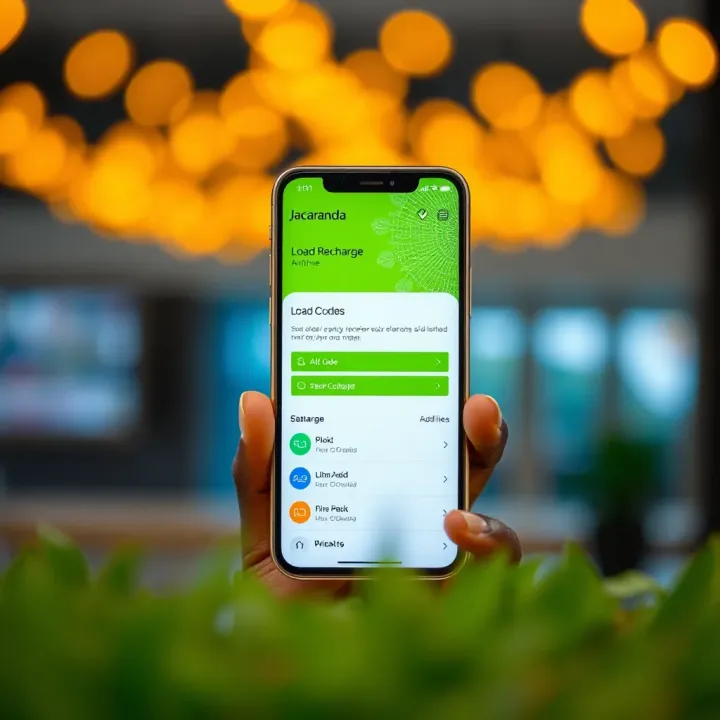
Before proceeding, ensure you have the correct airtime or data voucher in hand or the code you want to load ready. Also, check that your phone has sufficient network coverage and a stable connection if using the app.
Always double-check your code before submitting it. Mistyping digits often causes unnecessary troubles that can be easily avoided.
Here’s a brief overview of what you’ll learn:
Preparing your phone and codes for loading
Step-by-step instructions for loading via Jacaranda app
How to load codes using USSD for users without smartphones
Common challenges and quick fixes during code loading
This practical approach will help you breeze through airtime and data top-ups on Jacaranda without stress or delay. Let's get you connected effortlessly and keep your data flowing smoothly.
Understanding Jacaranda and Its Services
Getting to know Jacaranda is key before loading any recharge or data codes. Jacaranda is a platform designed specifically for Nigerian users to simplify mobile and utility transactions. Whether you want to load airtime for your network, top up your data, or pay utility bills, Jacaranda serves as a one-stop digital solution that removes common hassles like long queues or confusing menus.
What makes Jacaranda stand out is how it bundles different services under one roof, saving you time and effort on everyday tasks. For example, instead of visiting multiple websites or roaming from one app to another, you can complete many transactions seamlessly. Understanding these services helps you choose the right code to load and ensures your transactions go smoothly without errors.
What Jacaranda Offers to Nigerian Users
Jacaranda provides flexible ways to recharge your mobile lines and pay bills efficiently. For mobile users, it supports major Nigerian networks such as MTN, Glo, Airtel, and 9mobile, making airtime and data purchase straightforward. Besides telecom needs, Jacaranda also facilitates payments for various utilities like electricity, water, and even some cable TV subscriptions.
The platform comes with both a mobile app and USSD options, allowing users to transact even without internet access. This dual access is practical for Nigerians living in areas with unstable internet or those who prefer quick USSD codes over app navigation. Additionally, Jacaranda often integrates promos and discounts, which can save you some naira during your purchases.
Types of Codes You Can Load on Jacaranda
Airtime Codes
Airtime codes represent prepaid credit you buy to make calls, send SMS, or use other network services. Loading airtime via Jacaranda is particularly useful for busy Nigerians who want to keep their phones active without visiting physical locations repeatedly. For instance, after receiving an airtime code from your network provider or reseller, you can quickly load it through the Jacaranda app or USSD, restoring your balance almost instantly.
This convenience matters if you rely on your phone daily for work, studies, or even sports betting. Having airtime available ensures you won’t miss important calls or updates.
Data Bundle Codes
Data bundle codes are also prepaid vouchers, but specifically for internet access. Many Nigerians now depend heavily on mobile internet for social media, research, or streaming live football matches. By loading data on Jacaranda, you get a hassle-free way to stay connected.
These codes come in various sizes — from daily to monthly bundles — catering to different needs and budgets. Jacaranda supports multiple telecom networks, so you can purchase the data bundle codes that suit your preference and load them at your convenience.
Utility Payment Codes
Utility payment codes cover services beyond airtime and data, such as electricity bills and other essential household payments. For example, if you have a prepaid electricity meter with a token code, Jacaranda allows you to load that code to credit your meter easily. This feature saves many Nigerians from queuing at payment centres or banks.
Similarly, some water companies and cable TV providers issue payment codes for consumption bills or subscription renewals. Loading these codes on Jacaranda makes it simpler to manage your household expenses without leaving home, especially during busy ember months or festive seasons.
Knowing the different codes you can load and what Jacaranda offers helps you pick the right option for your needs — whether topping up your phone or settling utility bills swiftly and securely.
Preparing to Load Your Code on Jacaranda
Before you start loading airtime or data codes on Jacaranda, it’s important to ensure that you have all the essentials in place. Proper preparation helps avoid common errors like failed transactions or invalid codes, especially given the occasional network hitches we experience here in Nigeria. Taking a few steps upfront saves you time, stress, and sometimes even unnecessary costs.
Requirements Before Loading Your Code
Active Jacaranda account

You must have a registered and active account on Jacaranda to load any code. This is the foundation because the platform needs to link your recharge requests to your user profile. Without activation, your codes won’t register or reflect your balance. For example, when you download the Jacaranda app or use its USSD service, you’ll be prompted to create an account or log in. Keep your login credentials safe, and avoid sharing them, as this account controls your entire recharge experience.
Internet or network access
Jacaranda operations depend on steady network connectivity — either mobile data, Wi-Fi, or cellular network. If your internet cuts off midway, the system might fail to validate your code, causing delays or failed loads. More so, the quality of your network affects how quickly you receive confirmation. Many users find that stable access with MTN, Airtel, or Glo networks on 3G or 4G usually works best, although 2G can still suffice for USSD transactions.
Valid code and correct format
Not all codes will load successfully if they’re expired, invalid, or typed wrongly. Nigerian telecoms issue airtime and data codes often with specific formats—like 123456789012# for MTN airtime or 10-digit data bundle numbers. Entering a code with a missing digit or extra space can throw an error. Always double-check the code before submitting and ensure it’s still valid. Vendors sometimes hand out expired vouchers, so keep an eye on the purchase date.
How to Obtain Recharge or Data Codes in Nigeria
From mobile network providers
You can buy recharge or data codes directly from your mobile network provider’s official outlets or website. For instance, MTN shops, 9mobile offices, and Airtel stores sell scratch cards and printed codes. Buying here often ensures you get legitimate codes valid for normal recharge periods. Also, providers sometimes offer promotional bonuses when you buy directly.
From authorised resellers and kiosks
Many Nigerians prefer buying codes from authorised resellers, roadside kiosks, or market stalls. These sellers stock cards from multiple networks and can be handy when you want quick access. However, check for secure packaging or indication they are genuine; some kiosks may sell counterfeit or expired codes. It’s better to buy from well-known sellers within your community or trusted locations.
Via digital platforms and apps
Digital wallets and fintech apps like OPay, PalmPay, and Paystack have made it easier to purchase recharge codes online and receive them instantly. These platforms allow you to pay via bank transfer, card, or wallet balance. After purchase, the code or direct recharge confirms on your phone within seconds. For tech-savvy users, this digital route saves time and reduces the chance of wrong codes. Just ensure you use reputable apps and avoid unofficial services that could scam you.
Preparing well before loading codes will spare you from the common recharge frustrations many Nigerians face. Always confirm your network access, have your Jacaranda account ready, and source valid codes from reliable outlets before proceeding.
Step-by-Step Guide to Loading Codes on Jacaranda
Loading codes on Jacaranda is straightforward once you know the steps. This section breaks down the process, ensuring you can recharge your airtime or data smoothly without guesswork. Whether you prefer using the Jacaranda app or USSD, following clear instructions helps avoid common mistakes and saves you time.
Loading Codes Through the Jacaranda Mobile App
Installing and setting up the app
To start, download the Jacaranda mobile app from a trusted source like Google Play Store or Apple App Store. After installation, open the app and register with your phone number and a secure password. This initial setup is essential for secure access and personalised services. For instance, once registered, the app remembers your details for quicker transactions next time.
Entering your code and confirming
After login, locate the "Load Code" or "Recharge" section within the app. Here, enter the exact recharge or data code you have, making sure to avoid extra spaces or missing digits. Confirm the entry by clicking on the submit or load button. The app will then process the code and update your account. Accurate input is key: mistyping even one character can lead to failure or loss of credit.
Checking your balance after loading
Once the code loads successfully, the app usually displays your new balance immediately. This lets you verify that the recharge or data bundle registered correctly. You can also check your transaction history within the app to confirm previous loads. This instant feedback avoids uncertainty, allowing you to plan your usage without guessing if your airtime or data is active.
Loading Codes Using USSD on Jacaranda
Dialling the correct USSD code
For users without smartphones or with limited internet access, Jacaranda offers a USSD service. Dial the specific USSD code provided by Jacaranda, often a short code like *123# or similar. This brings up a menu on your phone screen for code loading. It’s important to use the correct code to access Jacaranda’s services and prevent calling random networks.
Entering the recharge or data code
After accessing the Jacaranda USSD menu, select the option for loading airtime or data. Enter the recharge code accurately when prompted. The system processes your input instantly, so make sure there are no errors. USSD commands are sensitive: a wrong digit can cause your code to be rejected, so patience and precision are vital.
Receiving confirmation and verification
Once you submit the code via USSD, you should receive an on-screen confirmation followed by a text message confirming the transaction. This message typically shows your updated balance or the validity period of the data bundle. If you do not get a confirmation or the code is invalid, check for network issues or code errors, and retry or contact support if necessary.
Always double-check your code and network status before loading to avoid unnecessary delays or loss of credit. Using the Jacaranda app or USSD service properly lets you top up quickly and confidently, giving you more time for your activities without worrying about failed transactions.
Dealing with Common Issues When Loading Codes
When you load airtime or data codes on Jacaranda, there’s always a chance something might not go as planned. Knowing how to handle common hiccups saves time and stress, especially when you need your phone credit or data ready quickly. This section walks you through practical fixes if your code does not load or if it’s invalid or expired.
What to Do If Your Code Does Not Load
Checking network and service status
A failed code load often ties back to network problems. Before you blame Jacaranda or the seller, check whether your internet connection is stable, or your mobile network is active. Sometimes, poor signal strength, especially in remote areas or during heavy rain, can disrupt the service. Also, verify if Jacaranda’s platform is undergoing maintenance or facing a temporary outage. These can prevent code processing even when everything on your side looks fine.
A quick way is to try browsing other websites or making a call; if these don’t work, the issue is likely on the network front. In Lagos or Abuja, you might experience different network reliability compared to rural regions, so local conditions matter.
Ensuring correct code entry
Entering the wrong code is a very common mistake. Nigerian recharge or data codes are often long, made up of mixed numbers and letters, so one slip can cause errors. Double-check each digit before submitting; watch out for commonly confused characters like ‘0’ (zero) and ‘O’ (letter O), or ‘1’ (one) and ‘I’ (capital i).
For instance, a code like 48A2B1C could easily be d as 48A2BIС (where the last character is a capital ‘I’ instead of digit ‘1’). Such small slips ensure your code will not work. Writing down the code or copying it carefully from a reliable source helps reduce this.
Contacting Jacaranda support
If the problem persists despite good network and correct code entry, reach out to Jacaranda support through their official channels. They can verify your transaction, diagnose technical problems, or advise next steps. Keeping your transaction details, like the code and time of entry, handy speeds up this process.
Always avoid sharing sensitive information beyond what support asks for, and use Jacaranda’s official app or website for help. Some users report quicker responses during business hours, so plan accordingly.
Handling Invalid or Expired Codes
Verifying code validity period
Recharge and data codes in Nigeria sometimes come with expiration dates. These can vary from a few days to several weeks, depending on the provider. Loading an expired code will not work and usually triggers an error message.
Check the physical or digital receipt that came with your code for an expiry date or validity duration. For example, a data bundle code from MTN bought at a kiosk may expire 30 days after purchase. If unsure, contacting the seller or Jacaranda support can clarify.
Asking for a replacement from the seller
If after verification your code is invalid or expired, seek a replacement from the seller where you bought it. Reputable kiosks or authorised resellers typically offer a refund or reissue if you present proof of purchase.
For codes bought online or through mobile banking apps, contact the platform’s customer care promptly. Keep your purchase receipt or transaction ID since these are required to process replacements or refunds.
Always keep your receipts and confirm code validity before loading. This saves you from chasing refunds or replacements later.
By following these steps, you can solve common problems and enjoy hassle-free code loading on Jacaranda, maximising your airtime or data usage without delays.
Tips for Smooth and Secure Code Loading
Loading airtime or data codes on Jacaranda should be as smooth as possible to avoid wasting time and money. Following practical tips not only saves you from common mistakes but also protects your account from potential fraud. This section highlights simple but effective practices to help you get the best experience.
Best Practices to Avoid Errors
Double-checking codes before loading is a must. Nigerian telecom codes can be long, and a small slip like missing a digit or entering an extra zero could mean failure or loading the wrong value. For example, before typing your ₦500 airtime code, take a moment to confirm every number, especially if you got the code from a reseller or SMS. This carefulness prevents frustration from repeated failed attempts and the risk of code expiry.
Avoiding shared or public Wi-Fi networks matters because such networks are common spots for hackers in Nigeria. Loading codes while connected to public Wi-Fi in a cafe or bus stop exposes your account details to interception. If you must use public Wi-Fi, consider a trusted VPN or switch to your mobile data to keep your transaction secure.
Keeping your device software updated is often overlooked but crucial. System updates patch security holes and improve app compatibility. For instance, if you run an outdated version of the Jacaranda app on an older Android phone, you might face loading glitches or security risks. Regular updates ensure smoother code loading and reduce vulnerability to malicious attacks.
Security Measures to Protect Your Account
Using strong passwords and PINs for your Jacaranda account and phone is fundamental. Simple passwords like "1234" or "password" leave you open to quick intrusion. Instead, combine letters, numbers, and symbols to make your access tougher to guess. Also, avoid sharing your PIN with anyone, even trusted friends.
Beware of phishing and scams which are rising problems in Nigeria’s digital space. Fraudsters may send fake messages pretending to be Jacaranda or telecom providers, asking for your code or login details. Remember, legitimate platforms never request your full codes or passwords via SMS or calls. Always confirm with official sources before acting.
Regularly reviewing transaction history helps spot unusual activities quickly. Jacaranda offers a transaction log showing past loads and payments. By checking this periodically, you catch any unauthorised transactions early and report them to customer support. This habit has saved many users from losing precious airtime or data to fraudsters.
Staying vigilant and practising safe steps when loading codes on Jacaranda ensures your funds reach the right place without wasted effort or security risks. Small precautions go a long way in protecting your digital wallet and enjoying smooth transactions.
FAQ
Based on 14 reviews